Daily expense tracker app - track expenses, income and manage your money
Money Manager, a daily expense tracker app for Android: record spending, income, budgets, investments, goals, bills and loans, all kept on your phone.


On this page
- What is a daily expense tracker app?
- Manage your daily expenses with Money Manager
- Track your income along with expenses
- Plan your monthly budget
- Track your investments in the same app
- Set financial goals and track your progress
- Never lose track of important payments
- Manage loans and EMIs
- Understand your spending with charts and reports
- Use financial calculators for better planning
- Keep your financial data on your device
- Other useful features
- Why use one app to manage your personal finances?
- Who can use Money Manager?
- Download Money Manager and start organising your finances
A daily expense tracker app records the money you spend each day and shows you where it goes. Money Manager is a personal finance app for Android that helps you record daily expenses, track income, plan budgets, monitor investments and organise your financial activities in one place.
Small purchases, monthly bills, online payments and other expenses can quickly add up. By the end of the month, you might know how much money you earned, but have no clear idea where it went. Instead of using separate apps or maintaining multiple spreadsheets, you can manage different parts of your personal finances from your phone.
What is a daily expense tracker app?
A daily expense tracker app is a tool that helps you record and monitor the money you spend every day.
It gives you a clearer picture of your spending habits by keeping your expenses organised and showing how your money is being used over time.
For example, you might spend money on:
- Groceries and household purchases
- Food and restaurants
- Transportation and fuel
- Shopping and entertainment
- Electricity, rent and other bills
- Subscriptions and online services
When you record these transactions, you can review your spending, identify where most of your money goes and plan your future expenses more effectively.
Money Manager takes this a step further by combining expense tracking with income management, budgeting, investment tracking, savings goals and other personal finance tools.
Manage your daily expenses with Money Manager
You don't need to wait until the end of the month to understand your spending.
With Money Manager, you can maintain a record of your daily expenses and organise your financial transactions.
You can use it to:
- Record your everyday purchases.
- Organise expenses into categories.
- Review your spending over different periods.
- Understand how much you spend on different activities.
- Keep your financial records organised.
For example, if you spend 150 on lunch, 80 on transportation and 500 on groceries, you can record these expenses and review them later.
Over time, these records help you understand your spending habits instead of relying on memory.
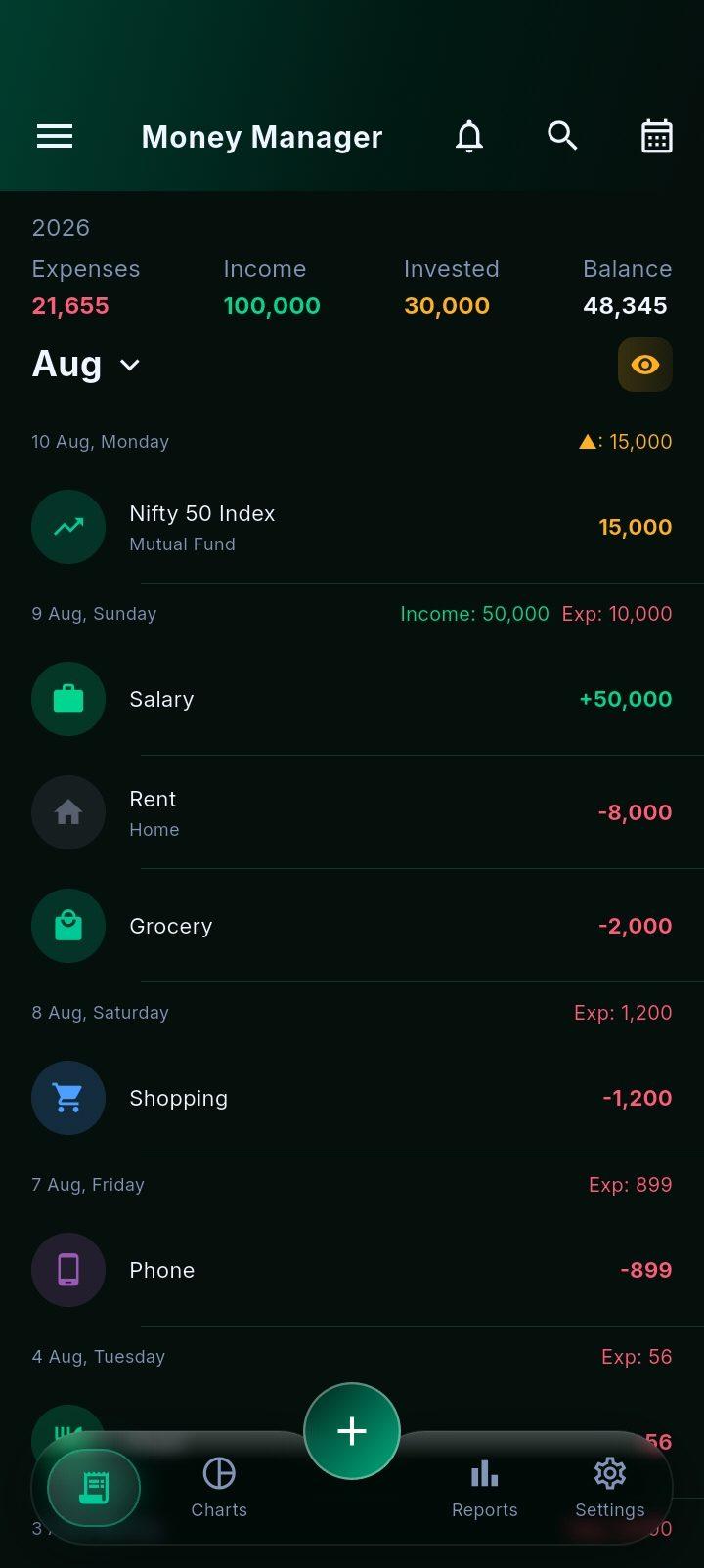
Track your income along with expenses
Knowing how much you spend is only one part of managing money. You should also understand how much you earn.
Money Manager lets you record both income and expenses in the same app.
You can use it to track:
- Monthly salary
- Freelance income
- Business income
- Additional earnings
- Other sources of income
By keeping income and expenses together, you can get a better understanding of your overall financial position.
You can review how much money comes in, how much goes out and how much remains.
Plan your monthly budget
Tracking expenses tells you where your money goes. Budgeting helps you decide where it should go.
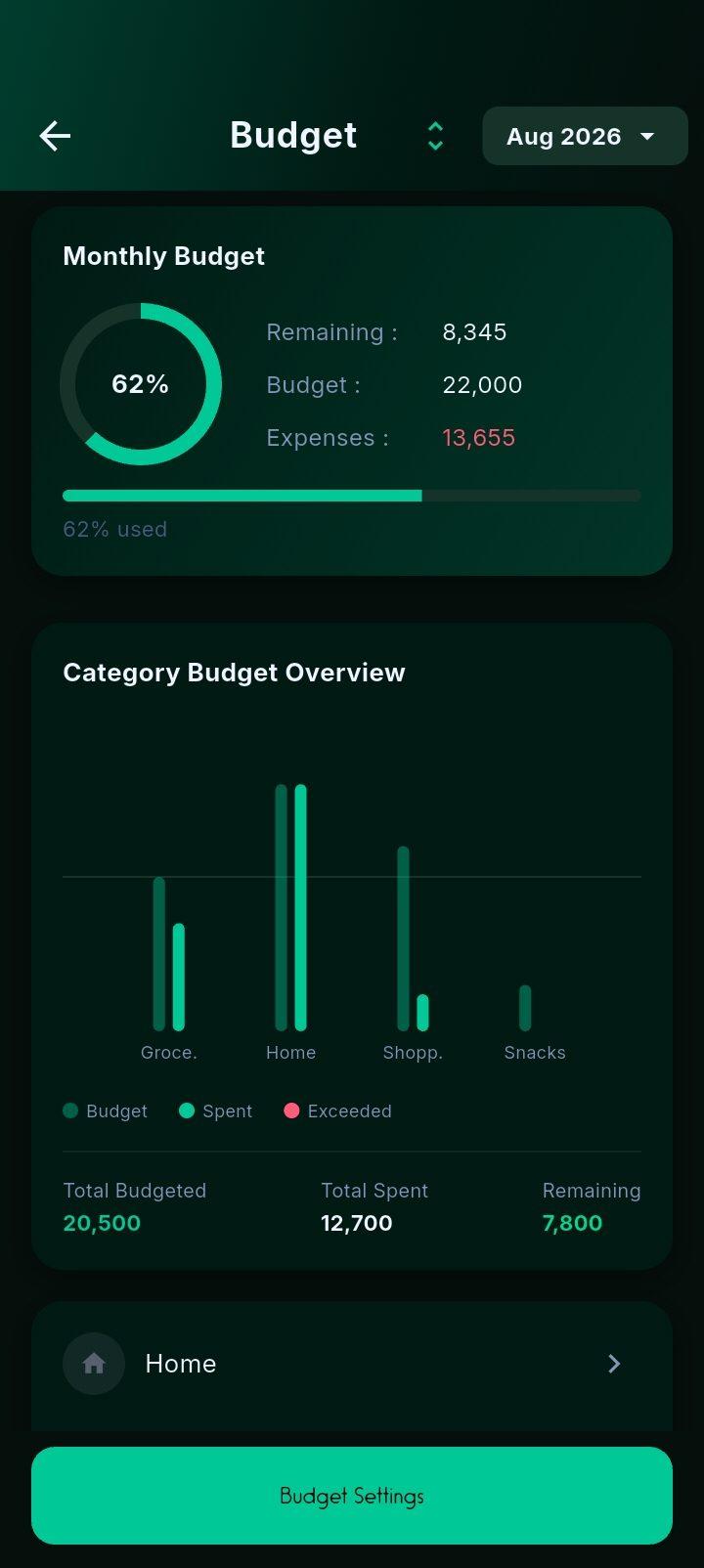
Money Manager includes budget management to help you set spending limits and monitor your expenses.
You can create budgets for different spending categories and keep an eye on how much of your planned amount has been used.
For example, you might set monthly limits like:
| Category | Monthly budget |
|---|---|
| Groceries | 5,000 |
| Transportation | 2,000 |
| Shopping | 3,000 |
| Entertainment | 1,500 |
| Food | 2,500 |
These are just example amounts. You can plan your own budgets based on your income and spending needs.
Money Manager also supports budget alert notifications, helping you stay aware of your spending limits.
Track your investments in the same app
Your financial picture isn't limited to income and expenses. Investments are another important part of personal finance.
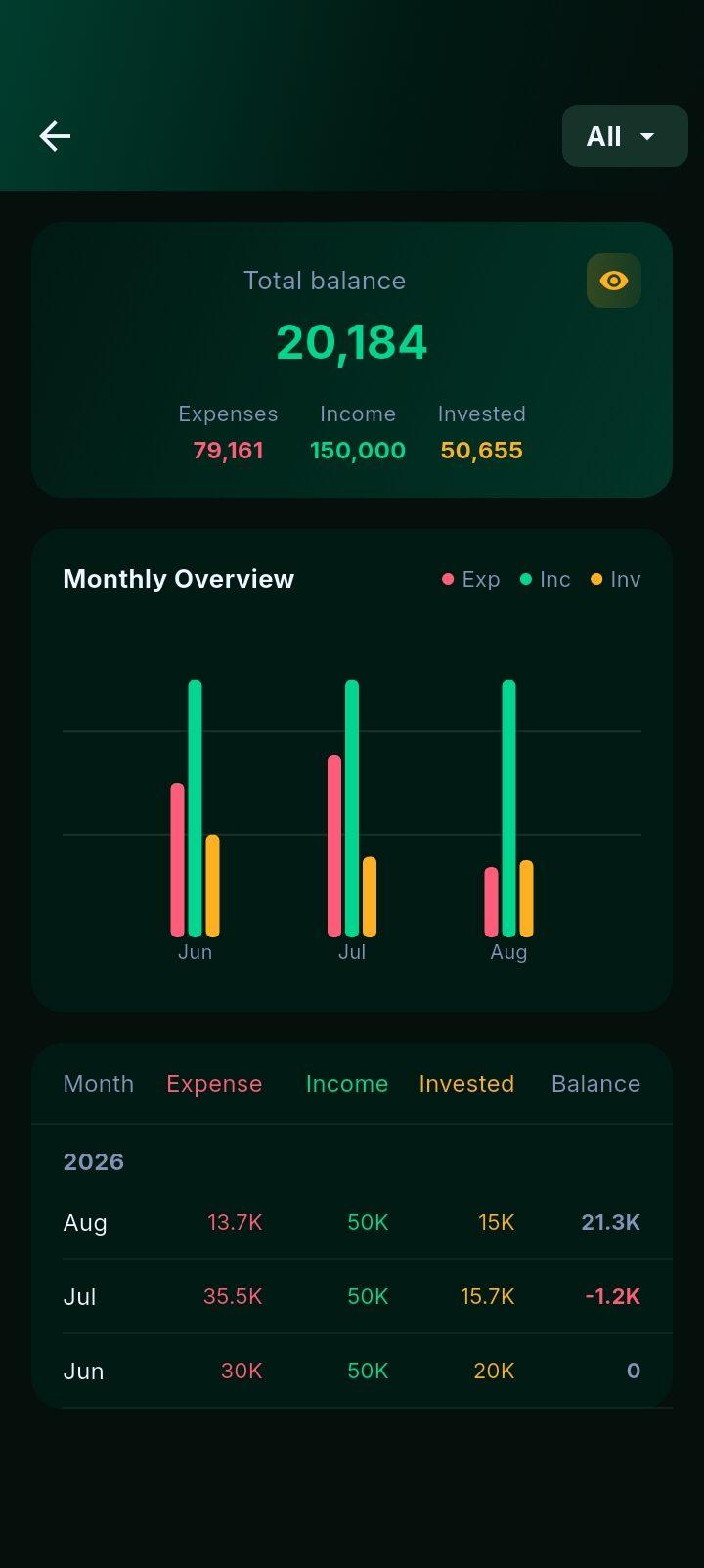
Money Manager includes investment tracking so you can maintain records of your investments alongside your everyday financial activities.
This helps you keep your financial information organised in one place instead of maintaining separate records.
You can use the app to monitor your investments as part of your personal financial planning, or simply to keep track of your contributions.
Set financial goals and track your progress
Saving money becomes easier to organise when you have a specific goal.
For example, you might want to save for:
- A new smartphone
- A holiday
- A vehicle
- An emergency fund
- A larger personal purchase
Money Manager includes a goal management feature that helps you define financial goals and monitor your progress.
Instead of saving without a clear target, you can keep your goals visible and track how you're progressing towards them.
Never lose track of important payments
Monthly payments can be easy to forget, especially when you have several bills and subscriptions.
Money Manager includes payment reminders to help you keep track of important payment dates.
You can use reminders for:
- House rent
- Electricity bills
- Internet and mobile bills
- Subscriptions
- Loan and EMI (equated monthly instalment) payments
- Other regular financial commitments
These reminders help you stay organised and reduce the chances of forgetting an upcoming payment.
Manage loans and EMIs
Loans are an important part of many people's financial lives. Keeping track of borrowed money, repayments and upcoming EMIs can become confusing when you maintain everything manually.
Money Manager includes loan tracking to help you organise your loan-related information.
You can use this feature alongside your regular expense and income records to get a more complete view of your financial activities.
It is particularly useful if you want to keep your personal financial records together rather than managing loan details separately.
Understand your spending with charts and reports
Recording transactions is useful, but reviewing them helps you understand your financial habits.
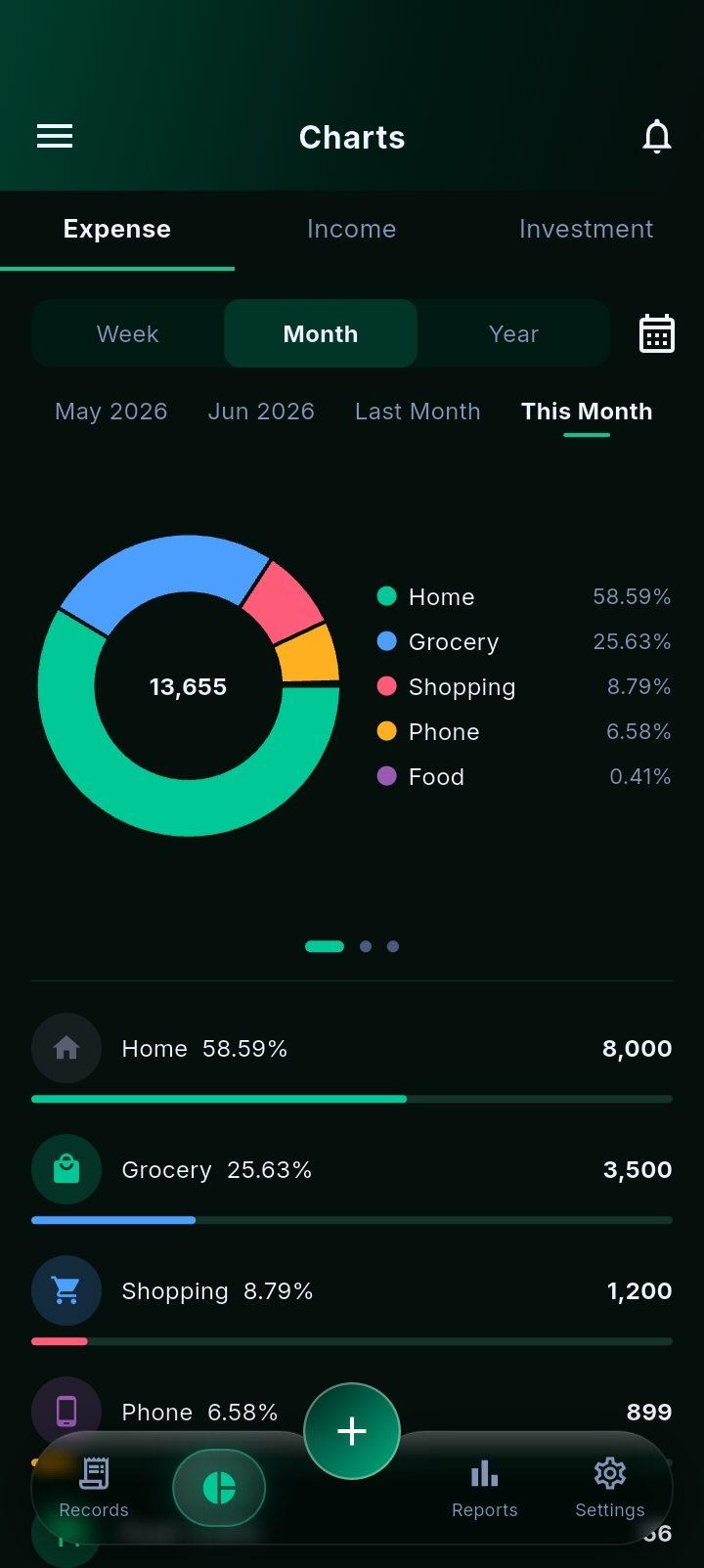
Money Manager provides charts, reports and visualisations that help you explore your financial records.
You can use these insights to:
- Review your expenses.
- Compare income and spending.
- Understand category-wise expenses.
- Observe spending patterns.
- Get a clearer picture of your finances.
Instead of looking through a long list of transactions, you can use visual reports to understand your financial activity more easily.
Use financial calculators for better planning
Financial calculations can be confusing when you have to work everything out manually.
Money Manager includes built-in calculators for different financial planning needs.
Some of the available calculators include:
- SIP (systematic investment plan) calculator
- SWP (systematic withdrawal plan) calculator
- Fixed Deposit (FD) calculator
- Retirement calculator
These calculators can help you explore different financial scenarios and understand possible outcomes based on the values you enter.
They are useful planning tools, but their results are estimates and should not be treated as guaranteed investment returns.
Keep your financial data on your device
Personal financial information is private. You may not want your everyday expenses, income and other financial records stored in an online account.
Money Manager follows a local-first approach. Your financial records are stored locally on your device, without requiring an online account or mandatory cloud storage.
This means you can use the app without depending on a cloud account to maintain your personal finance records.
If keeping your financial information on your own device is important to you, this is one of the things to consider when choosing a money manager app.
Other useful features
Along with its main personal finance tools, Money Manager includes additional features to make managing your financial information more convenient.
Home-screen widgets
Access useful financial information directly from your phone's home screen using supported widgets.
Data export
Export your financial records to a file you can keep as a backup and import back into Money Manager. A copy you can open in a spreadsheet app is part of Premium.
Why use one app to manage your personal finances?
You could use one app to track expenses, another to plan budgets, a spreadsheet to monitor investments and a calendar to remember payment dates.
But managing information across multiple places can become inconvenient.
Money Manager brings several personal finance features together:
| What you want to manage | Money Manager feature |
|---|---|
| Daily spending | Expense tracking |
| Earnings | Income tracking |
| Spending limits | Budget management |
| Investments | Investment tracking |
| Savings plans | Financial goals |
| Upcoming payments | Payment reminders |
| Loans and repayments | Loan tracking |
| Financial overview | Charts and reports |
| Financial planning | SIP, SWP, FD and retirement calculators |
| Financial records | Data export |
You can use the features you need without having to manage every part of your finances separately.
Who can use Money Manager?
Money Manager is designed for people who want a more organised way to manage their personal finances. It can be useful for:
- Salaried employees tracking monthly income, daily expenses, household spending and savings goals
- Students keeping an eye on everyday spending, food, transportation and other purchases
- Freelancers recording income from different sources and monitoring both business-related and personal spending
- Families organising household expenses, monthly budgets, bills and financial commitments
- Anyone who wants investment records alongside their other personal financial information
You don't need to be a financial expert to start tracking your money. You can begin with everyday expenses and gradually use more features as your needs change.
Download Money Manager and start organising your finances
You don't have to wait until the end of the month to understand where your money goes.
Start recording your daily expenses, monitor your income, set budgets, track investments and organise your financial goals in one place. Money Manager brings everyday expense tracking and personal finance management together in a single app.
If you're looking for a daily expense tracker app that does more than record purchases, give Money Manager a try.